
MSME Testing Centre Chennai
एमएसएमई परीक्षण केंद्र
MSME TESTING CENTRE - CHENNAI
O/o DC (MSME), GOVT OF INDIA
MINISTRY OF MICRO, SMALL & MEDIUM ENTERPRISES

NTRP is a Non-Tax Receipt Platform of the GoI, mandated to receive all Non-tax receipts pertaining to the Central Government Ministries / Departments. Users can make payment at NTRP portal with or without having login credentials and can make payment for the Swachh Bharat Kosh, common receipt to GoI and Non-Registered Users. NTRP comprise of a large bouquet of receipts, collected by individual departments/ministries. Primarily these receipts come from Dividends, Interest receipts, Spectrum charges, RTI application fee, purchase of forms/magazines by students and many other such payments by citizens / corporates/other users. Also it facilitates instant payment in a transparent environment using online payment technologies such as Internet Banking, Credit/Debit Cards. A Visual Demo Slides below shall enlighten its simplicity..


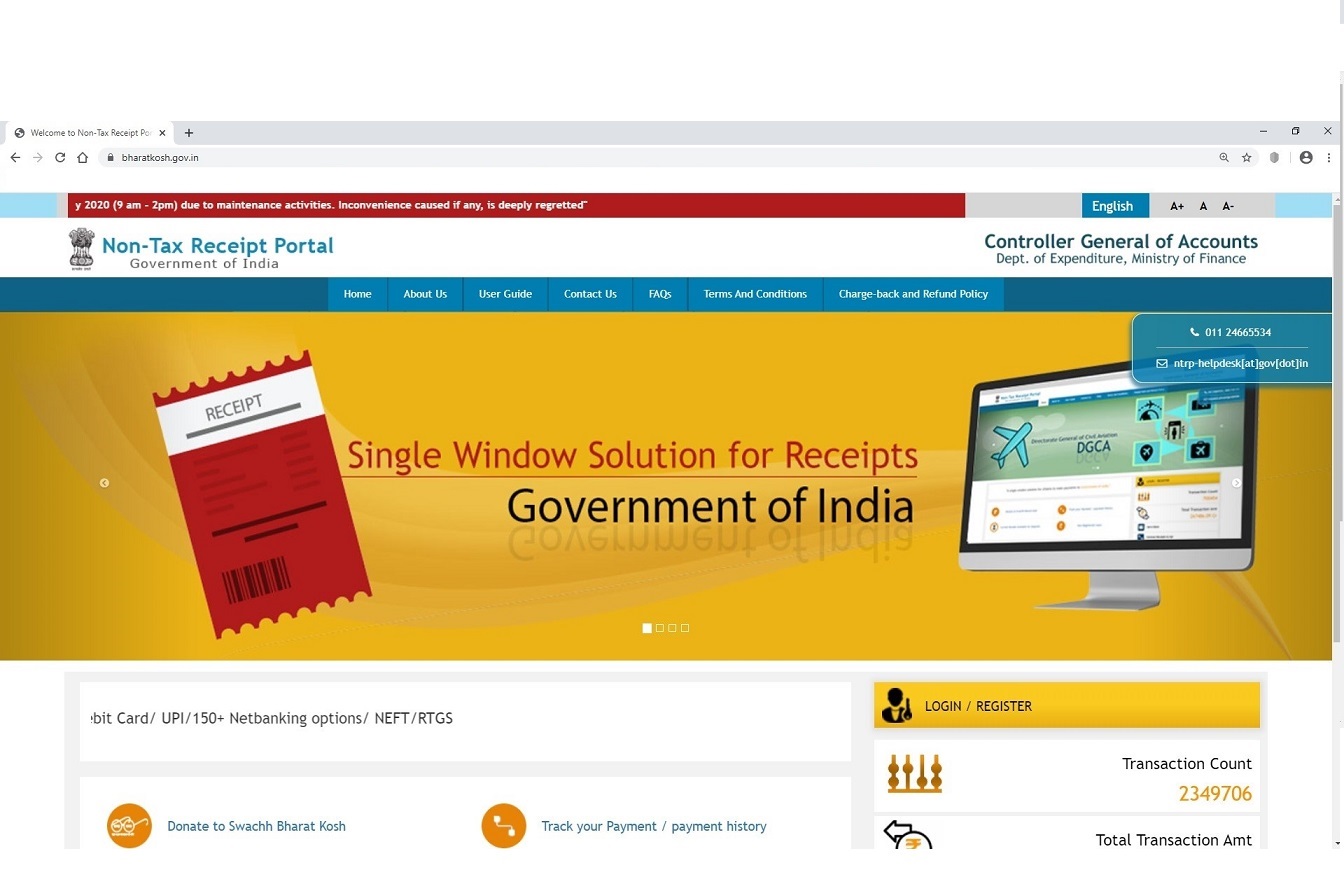
Open Non Tax Receipt Portal --> https://bharatkosh.gov.in/
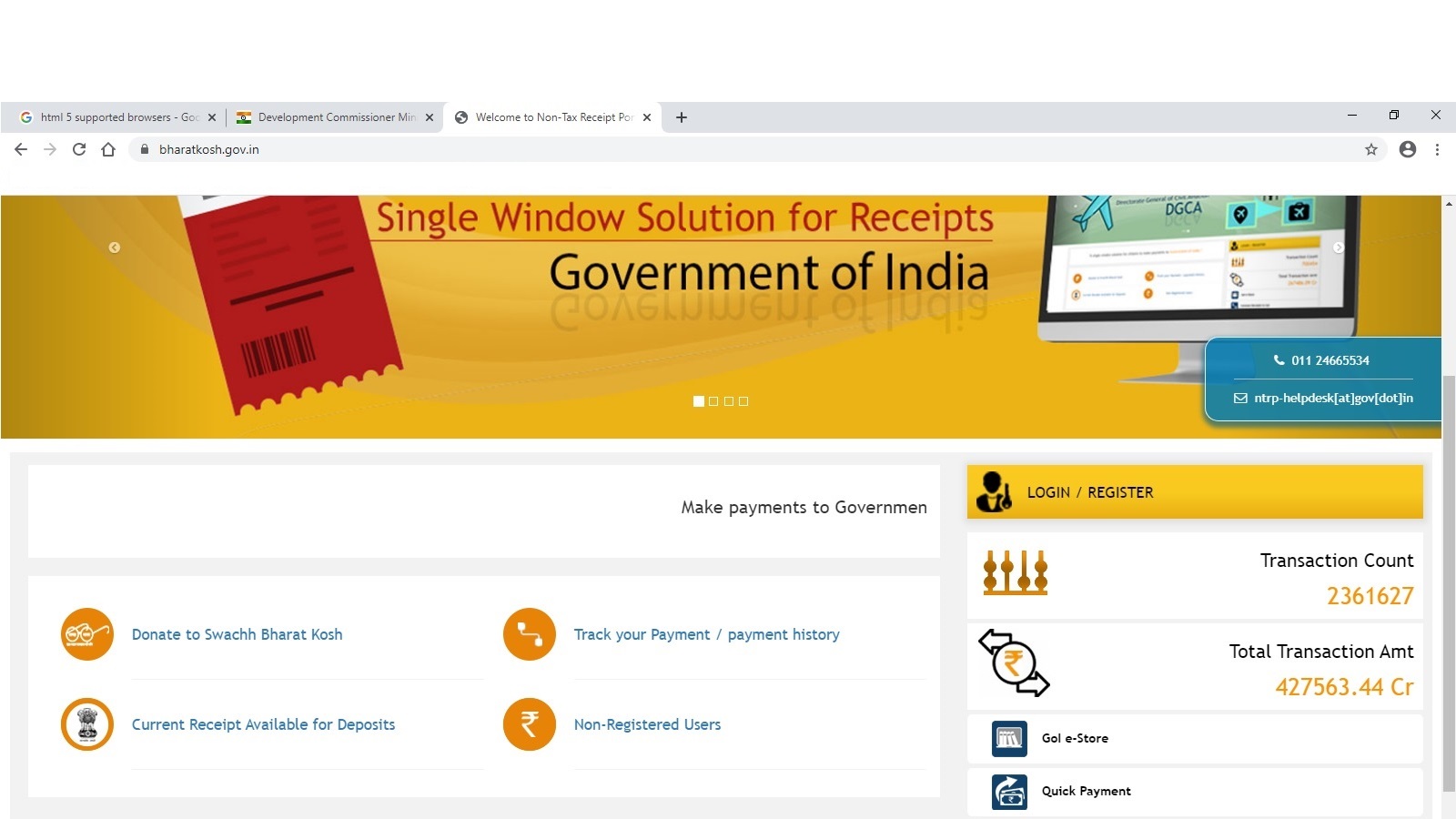
Click 'Non-Registered Users'
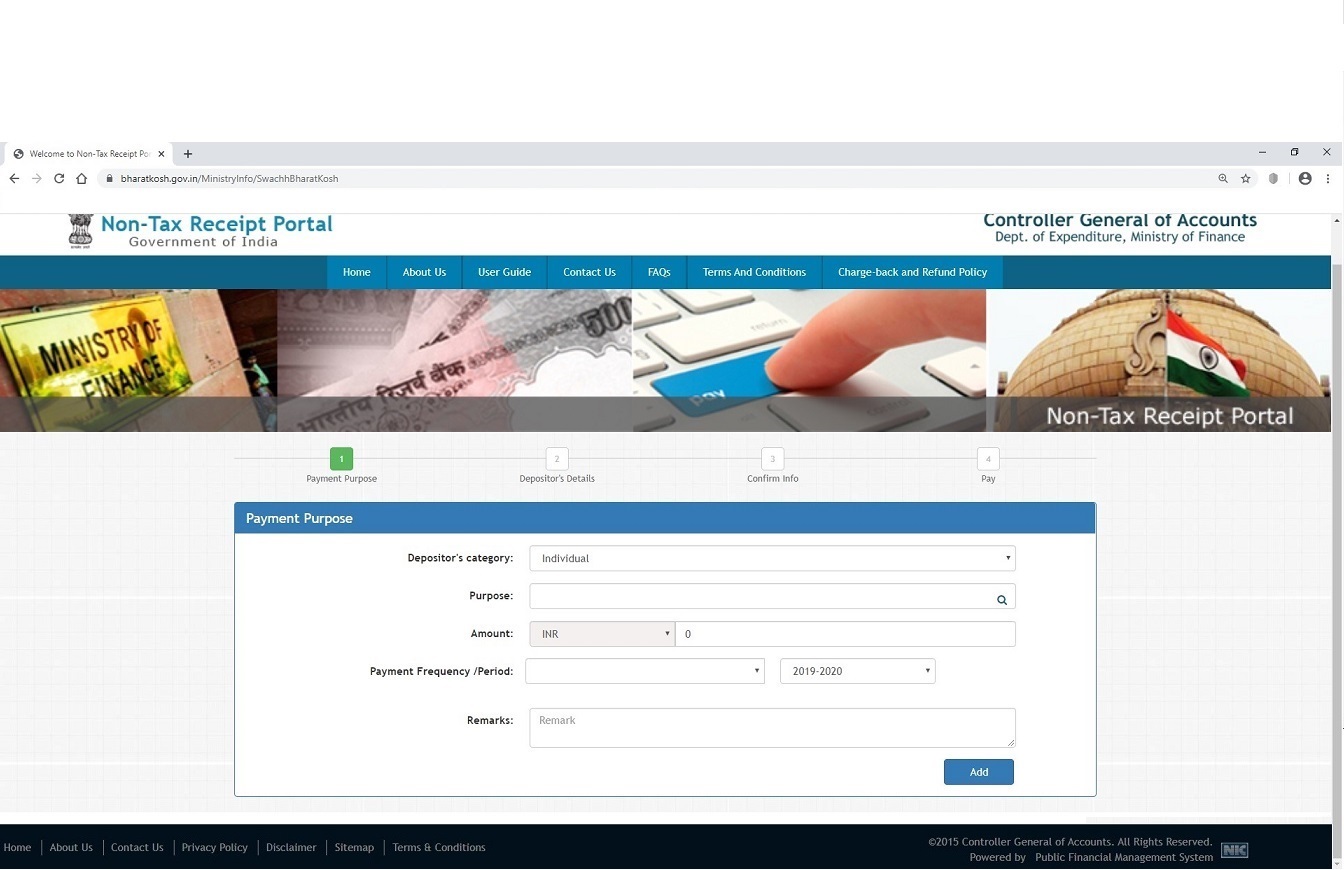
Without filling up, Please click 'Search' button in 'Purpose' Tab
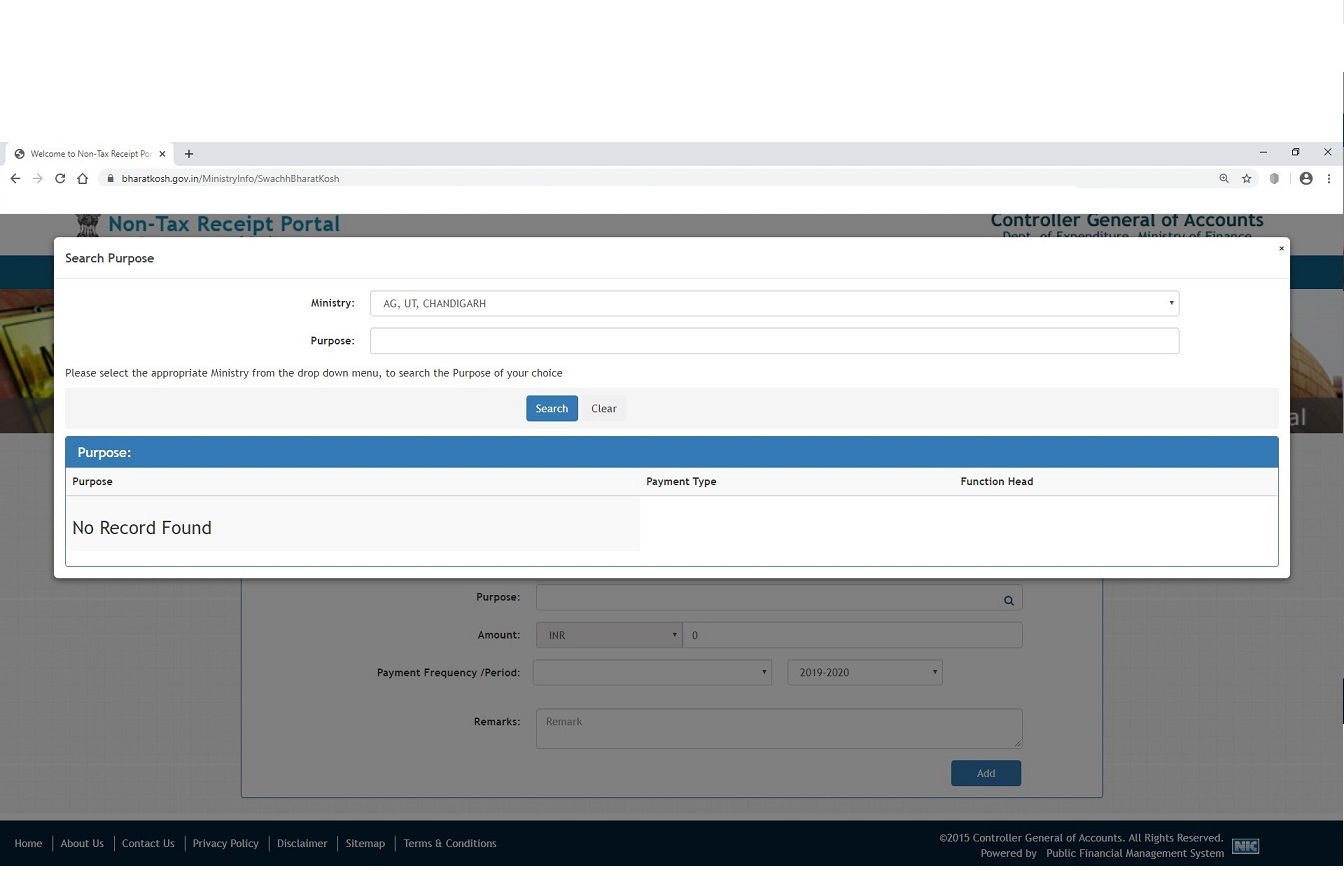
New window will be opened like this....
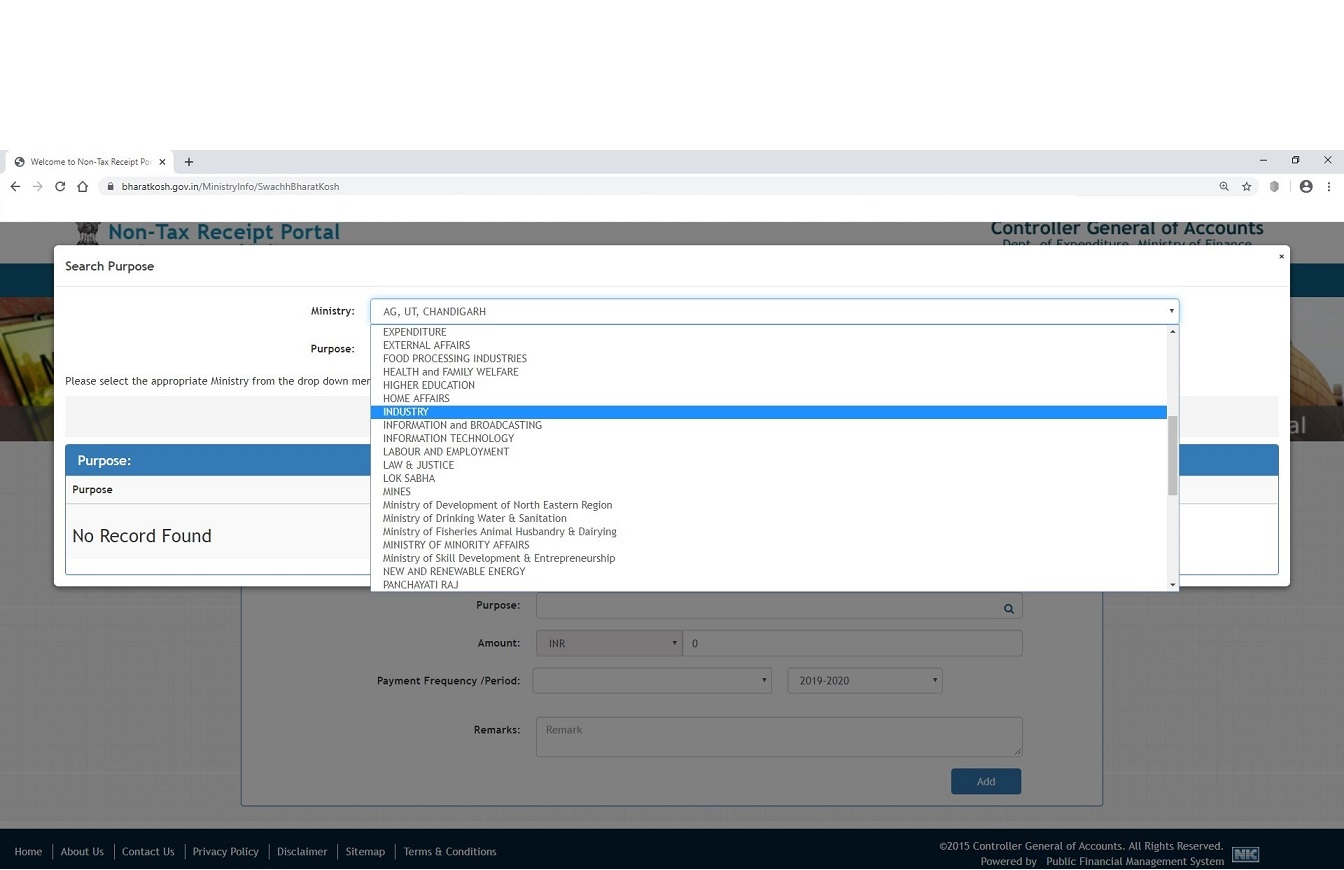
select 'INDUSTRY' against 'Ministry:'
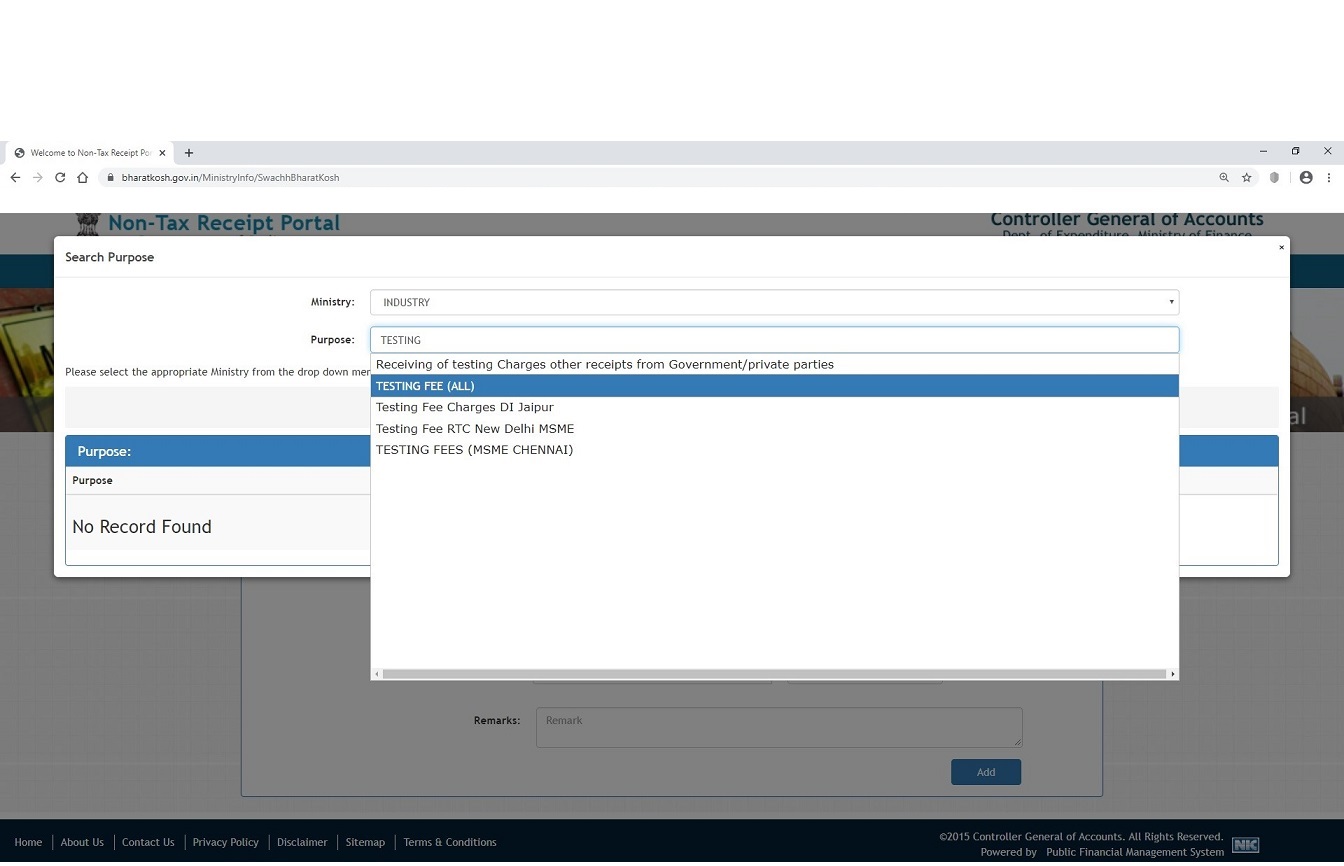
Type 'Testing' in 'Purpose' Tab
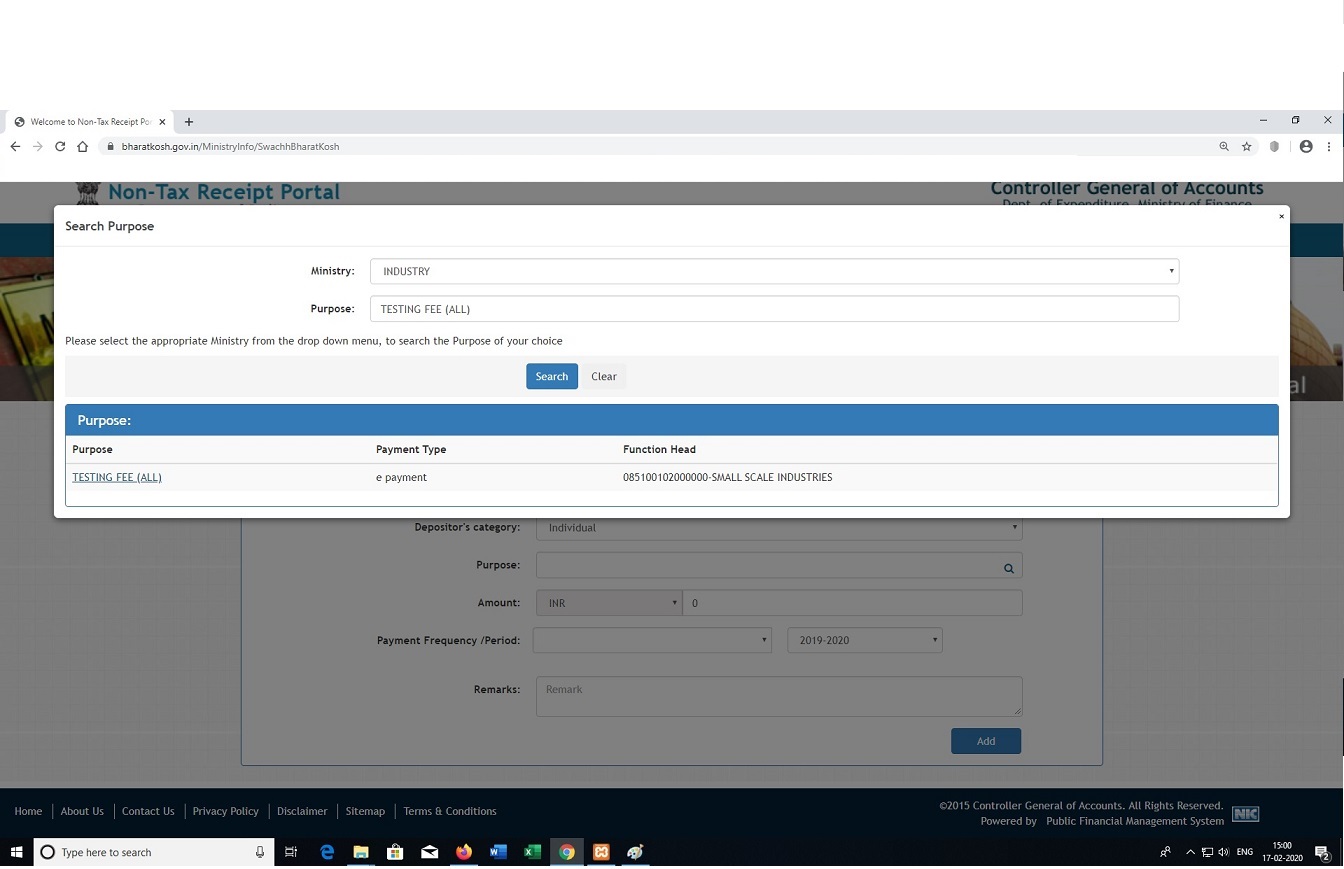
Select TESTING FEE(ALL) and Click 'TESTING FEE(ALL)'link below
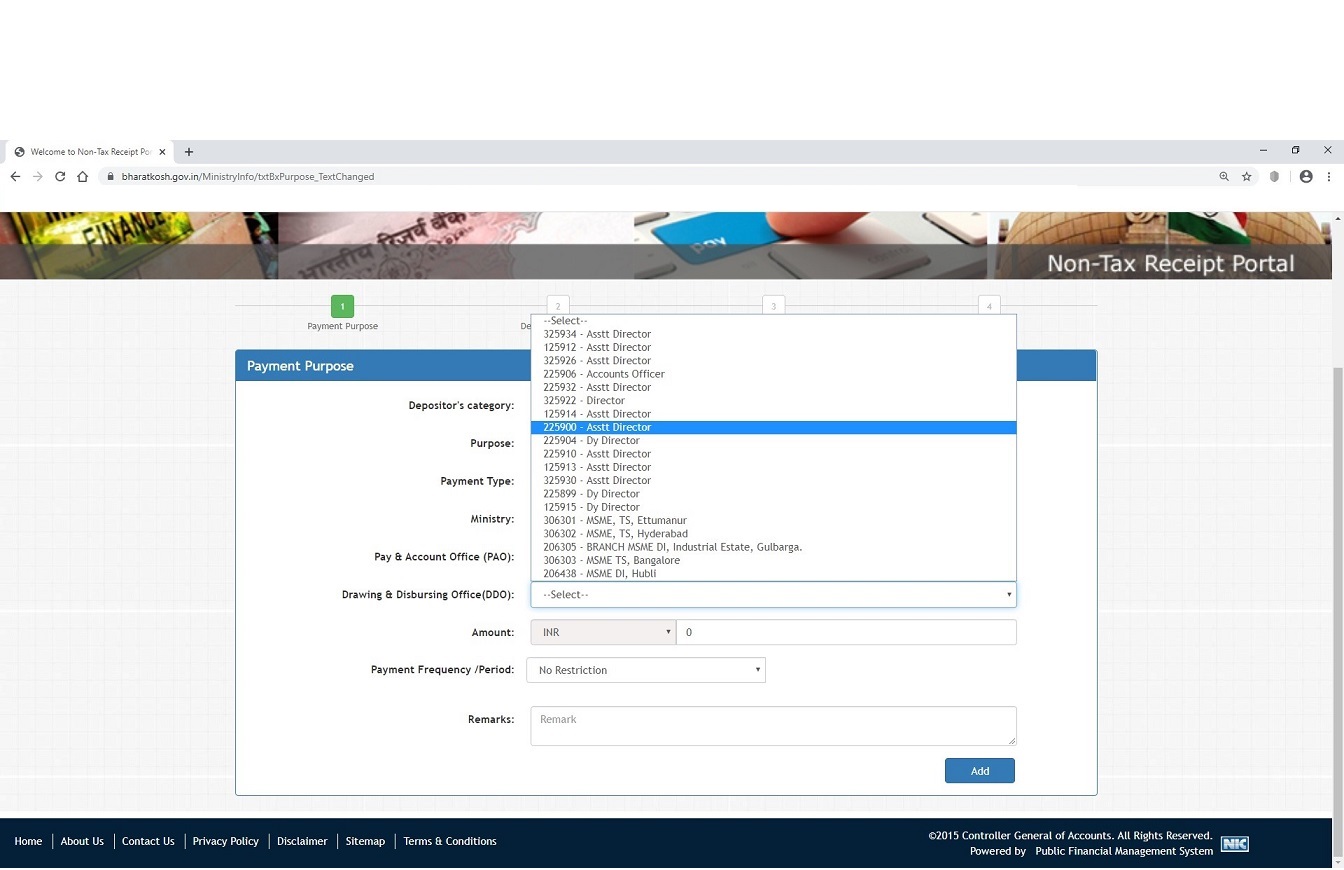
In next Window select '225900 - Asstt. Director' against 'Drawing and Disbursing Officer (DDO) - for TC Chennai only'
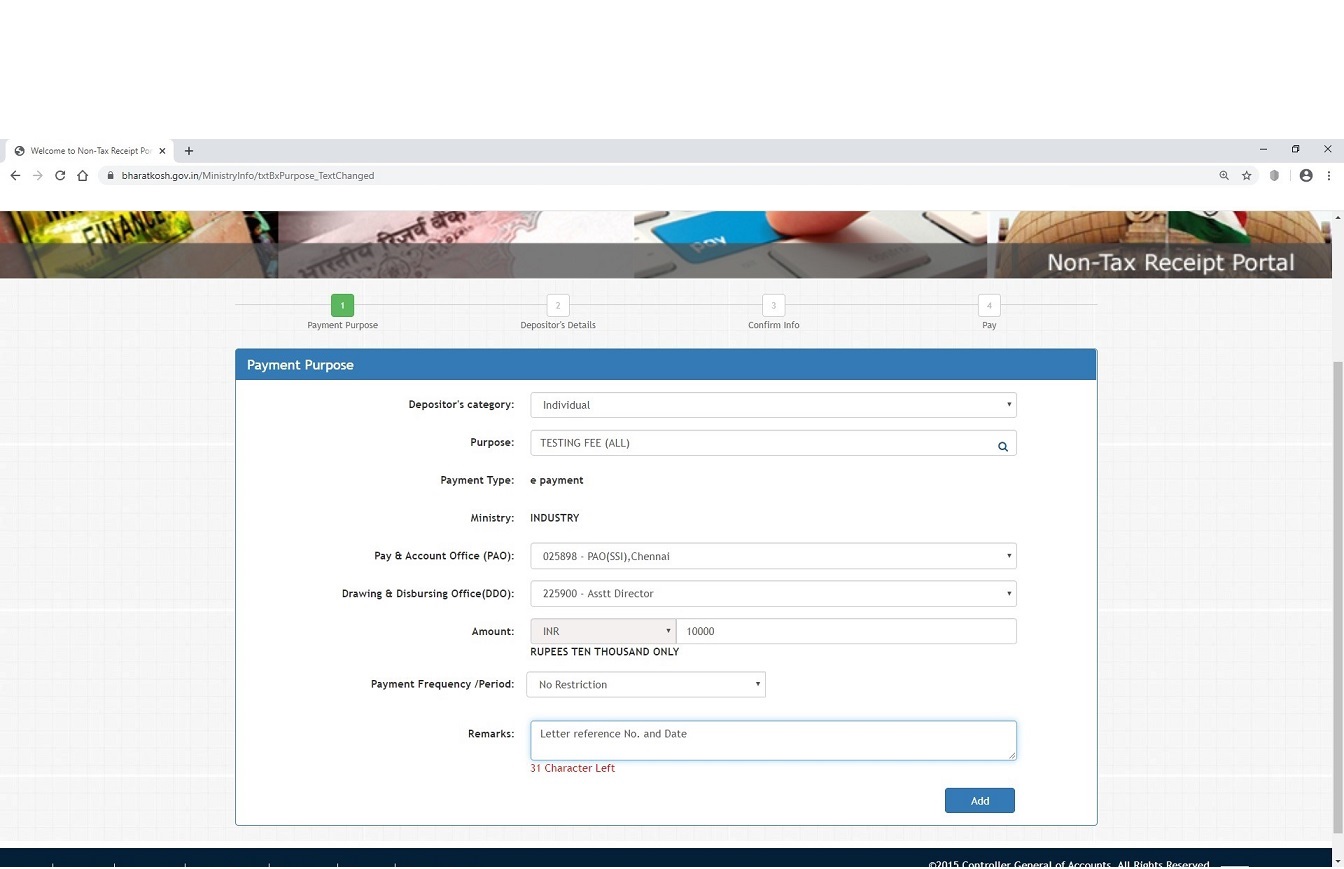
Enter only the Test Charges WITHOUT GST and Enter your letter ref. with date in remarks column.. click ADD
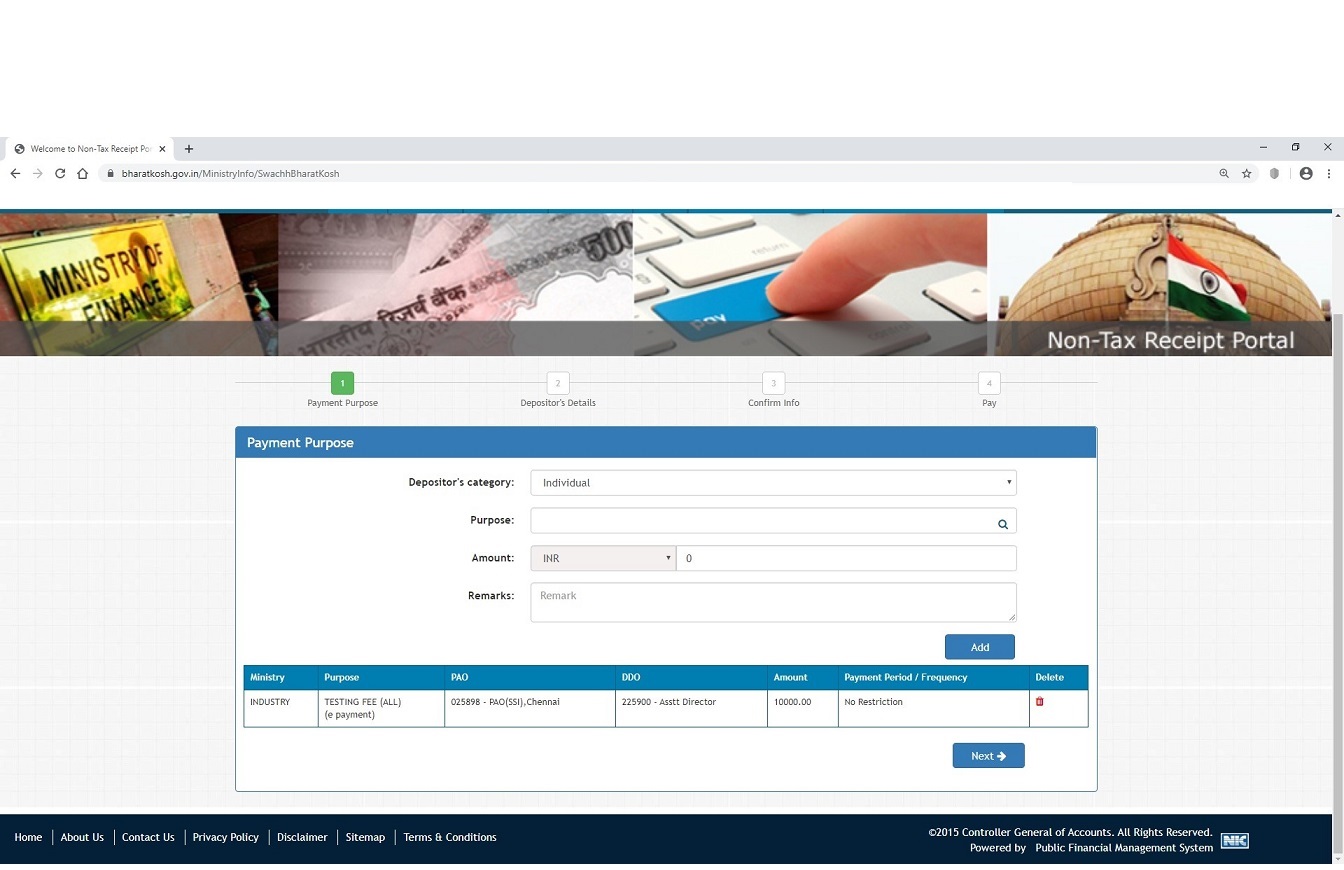
Click Next....
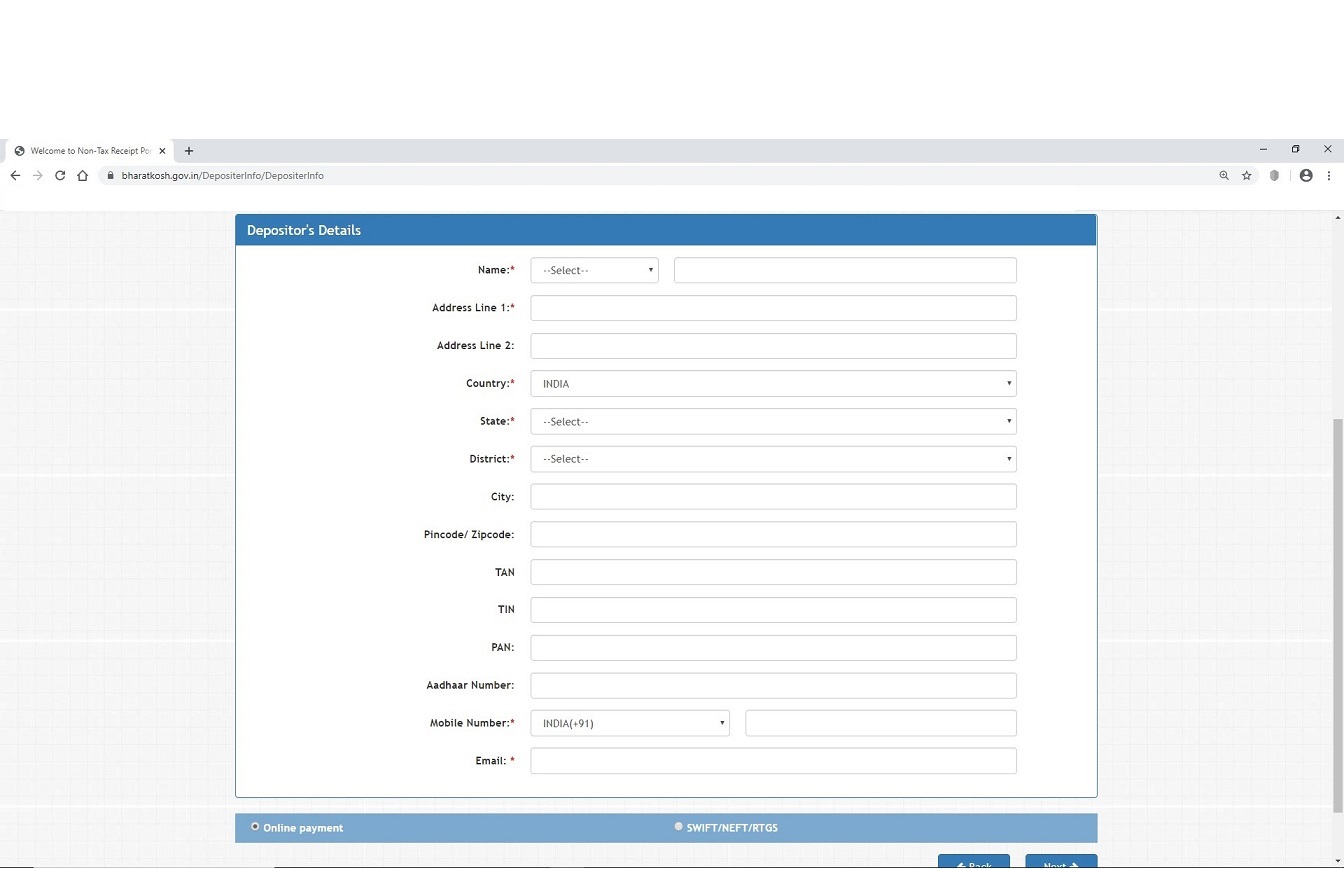
Type the Name to which Receipt to be generated and fill all the relevant rows..Click Next
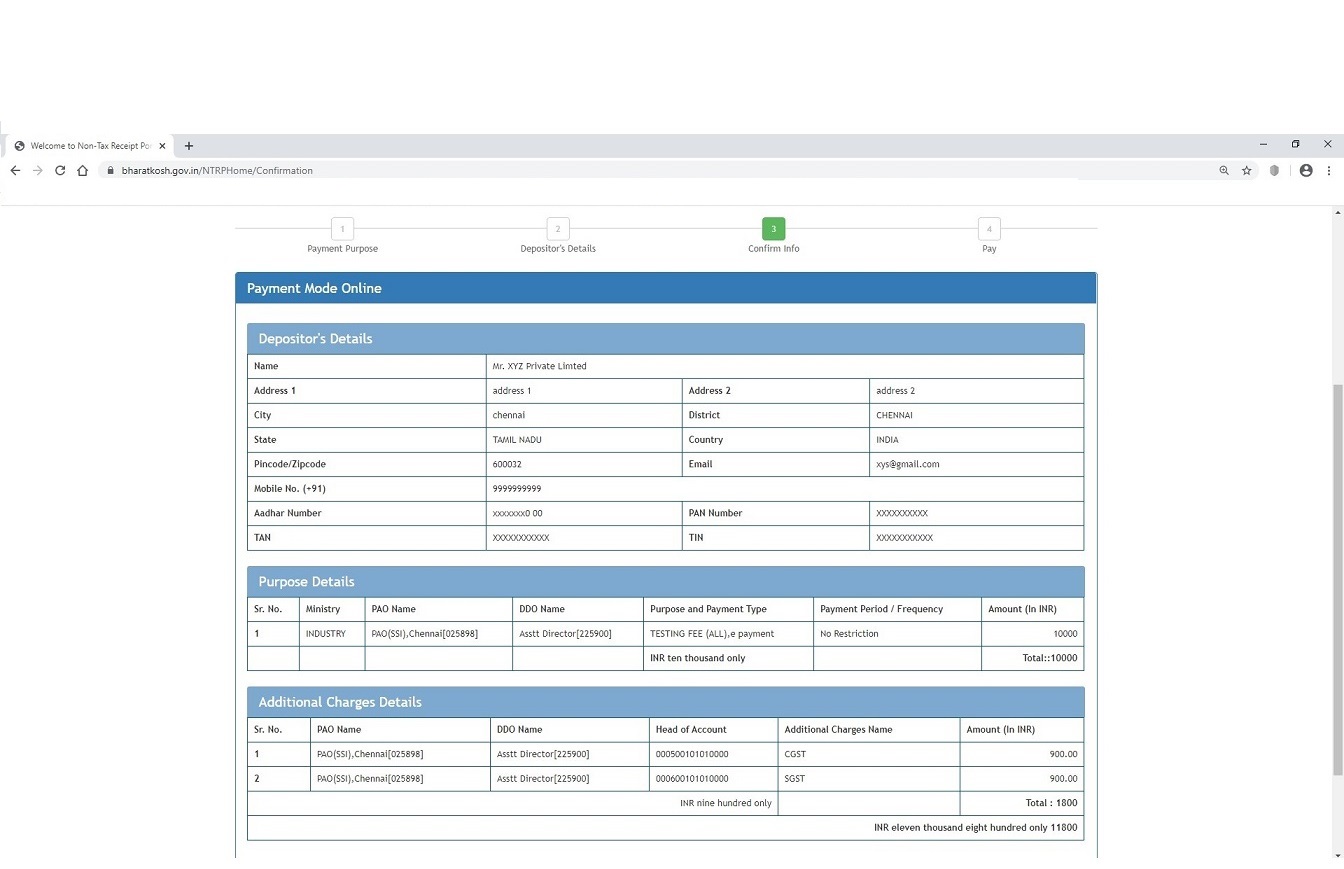
Total amount with GST, is generated. Check all other details and click Confirm..
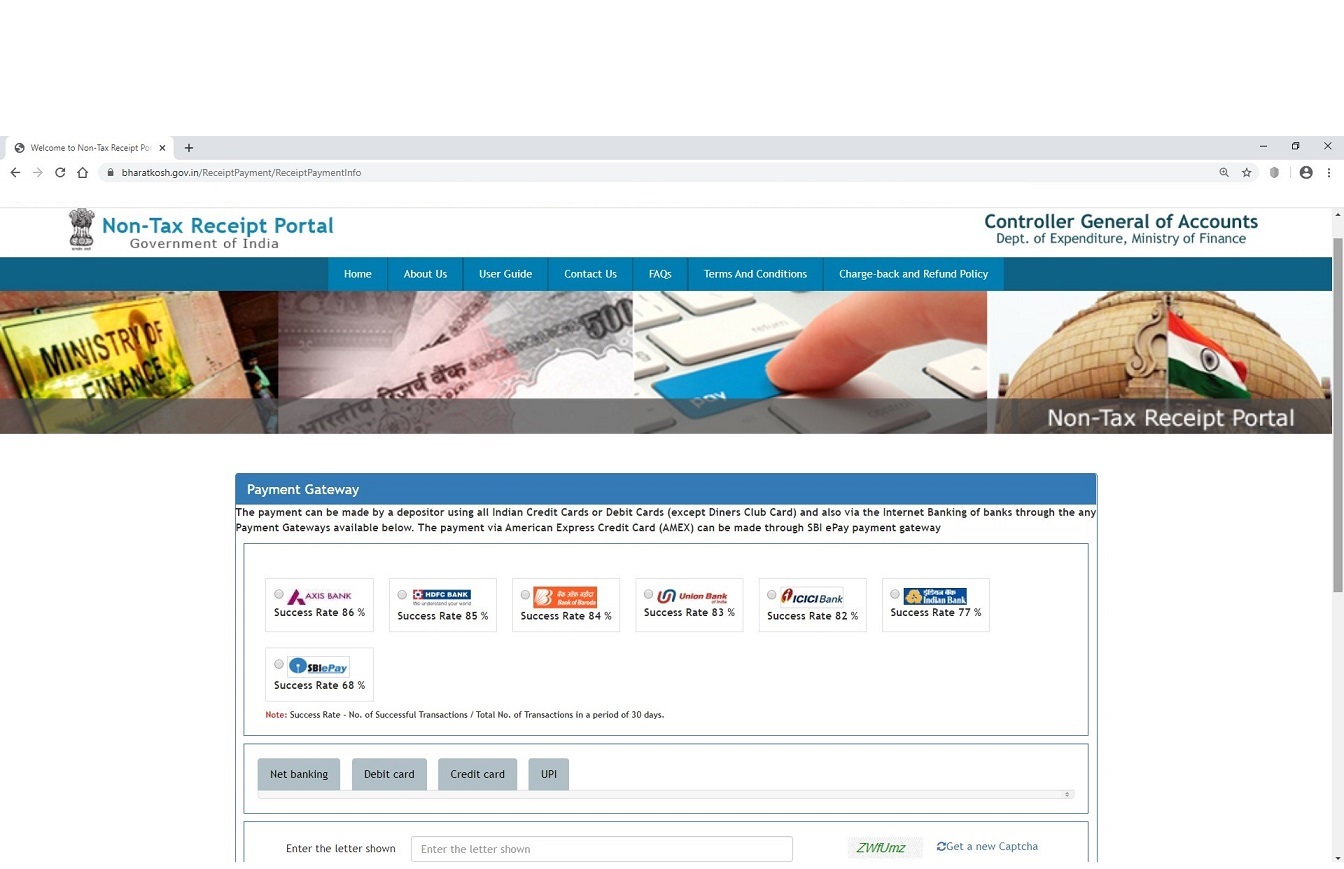
Opt your payment mode and pay the Charges through Credit Card / Debit Card / Net Banking...

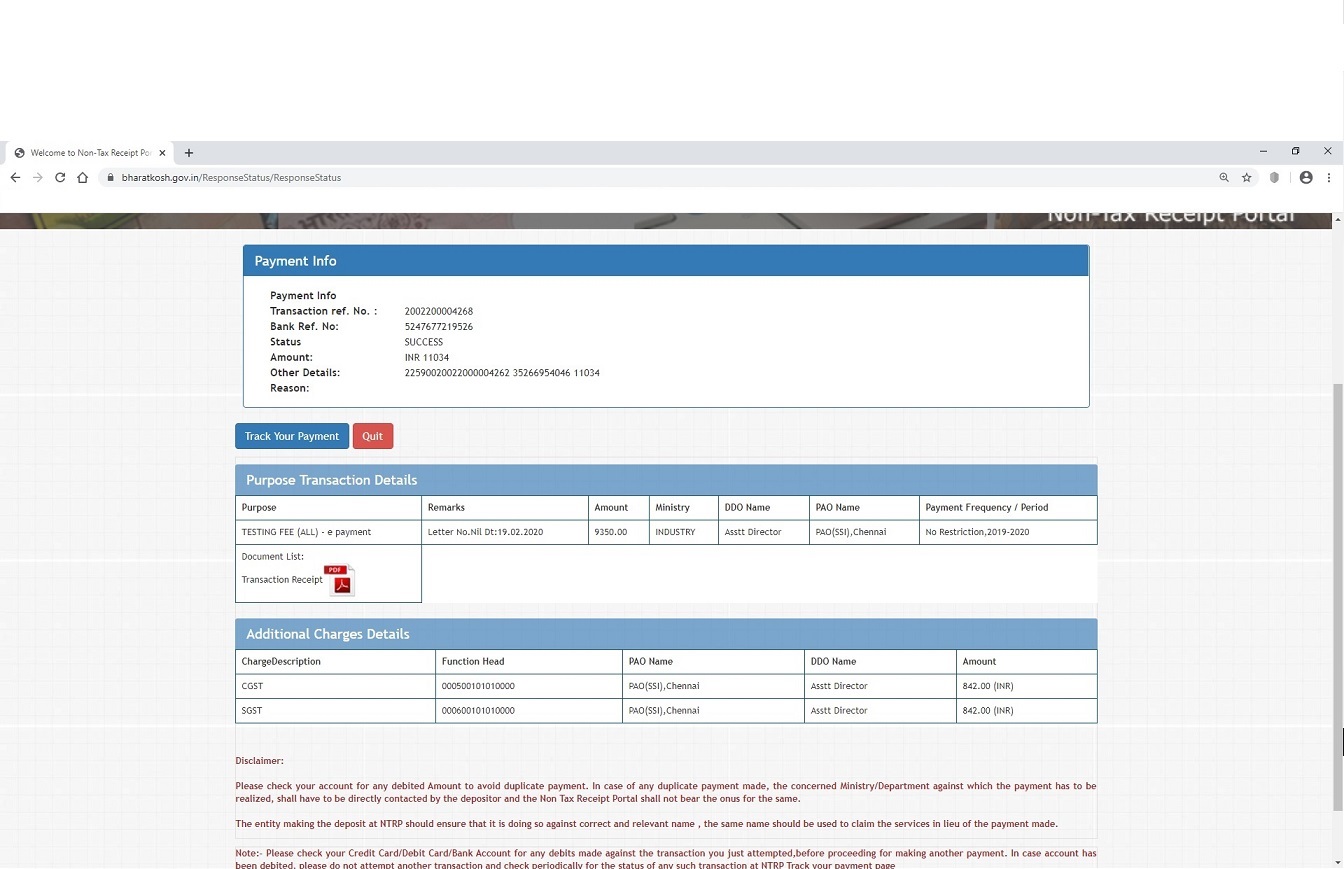
After successful payment, You will be redirected to below Screen. Please Note down the Transaction Ref No., Bank Ref. Date etc. A downloadable link for transaction receipt is also given. Download the receipt and submit to Customer Service Cell OR Show the Transaction Ref No. while submitting the sample. In case you lost Transanction Ref. No. you may find the same through "Track Your Payment"..
Thank you
< >
My Slider
Open Non Tax Receipt Portal --> https://bharatkosh.gov.in/
Click 'Non-Registered Users'
Without filling up, Please click 'Search' button in 'Purpose' Tab
New window will be opened like this....
select 'INDUSTRY' against 'Ministry:'
Type 'Testing' in 'Purpose' Tab
Select TESTING FEE(ALL) and Click 'TESTING FEE(ALL)'link below
In next Window select '225900 - Asstt. Director' against 'Drawing and Disbursing Officer (DDO)'
Enter only the Test Charges WITHOUT GST and Enter your letter ref. with date in remarks column.. click ADD
Click Next....
Type the Name to which Receipt to be generated and fill all the relevant rows..Click Next
Total amount with GST, is generated. Check all other details and click Confirm..
Opt your payment mode and pay the Charges through Credit Card / Debit Card / Net Banking...

After successful payment, You will be redirected to below Screen. Please Note down the Transaction Ref No., Bank Ref. Date etc. A downloadable link for transaction receipt is also given. Download the receipt and submit to Customer Service Cell OR Show the Transaction Ref No. while submitting the sample. In case you lost Transanction Ref. No. you may find the same through "Track Your Payment"..

Thank you
< >


-->